

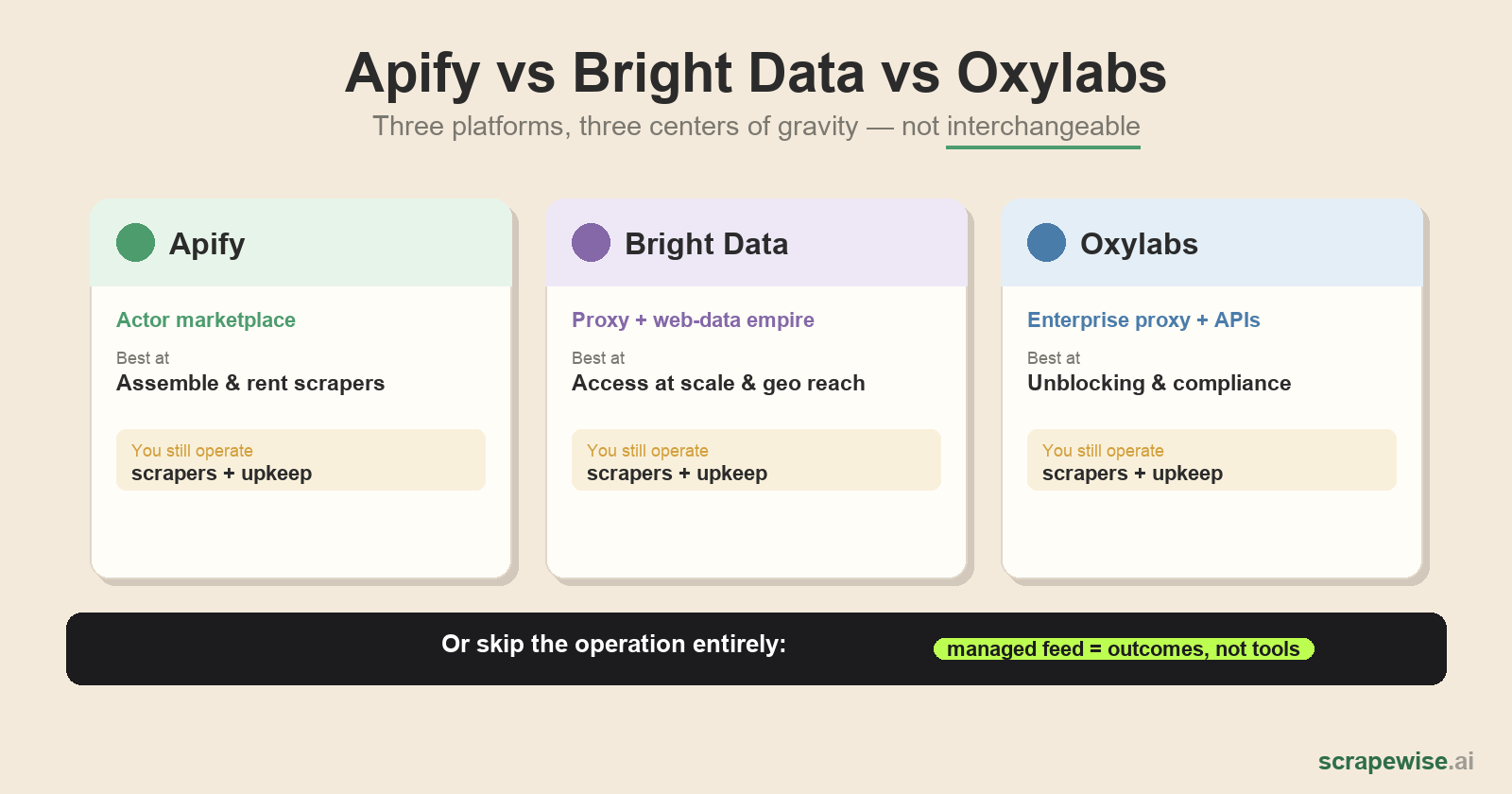
Your shortlist has three names on it, and every review you open compares two of them. That is the wrong shape for the decision. Apify, Bright Data and Oxylabs are built around three different jobs, so the first step is not a feature list. It is working out which job you actually have.
Quick answer: pick Apify if you don't have scrapers yet and want ready-made ones you can rent and schedule. Pick Bright Data if your scrapers exist but get blocked, and you need fine geo-targeting or ready datasets. Pick Oxylabs for the same access problem when enterprise support and compliance paperwork decide the purchase.
This page is the overview. It settles which of the three you need, then sends you to the one head-to-head comparison that answers the rest.
Three Questions That Pick One
Answer these in order. Most teams are done after the second.
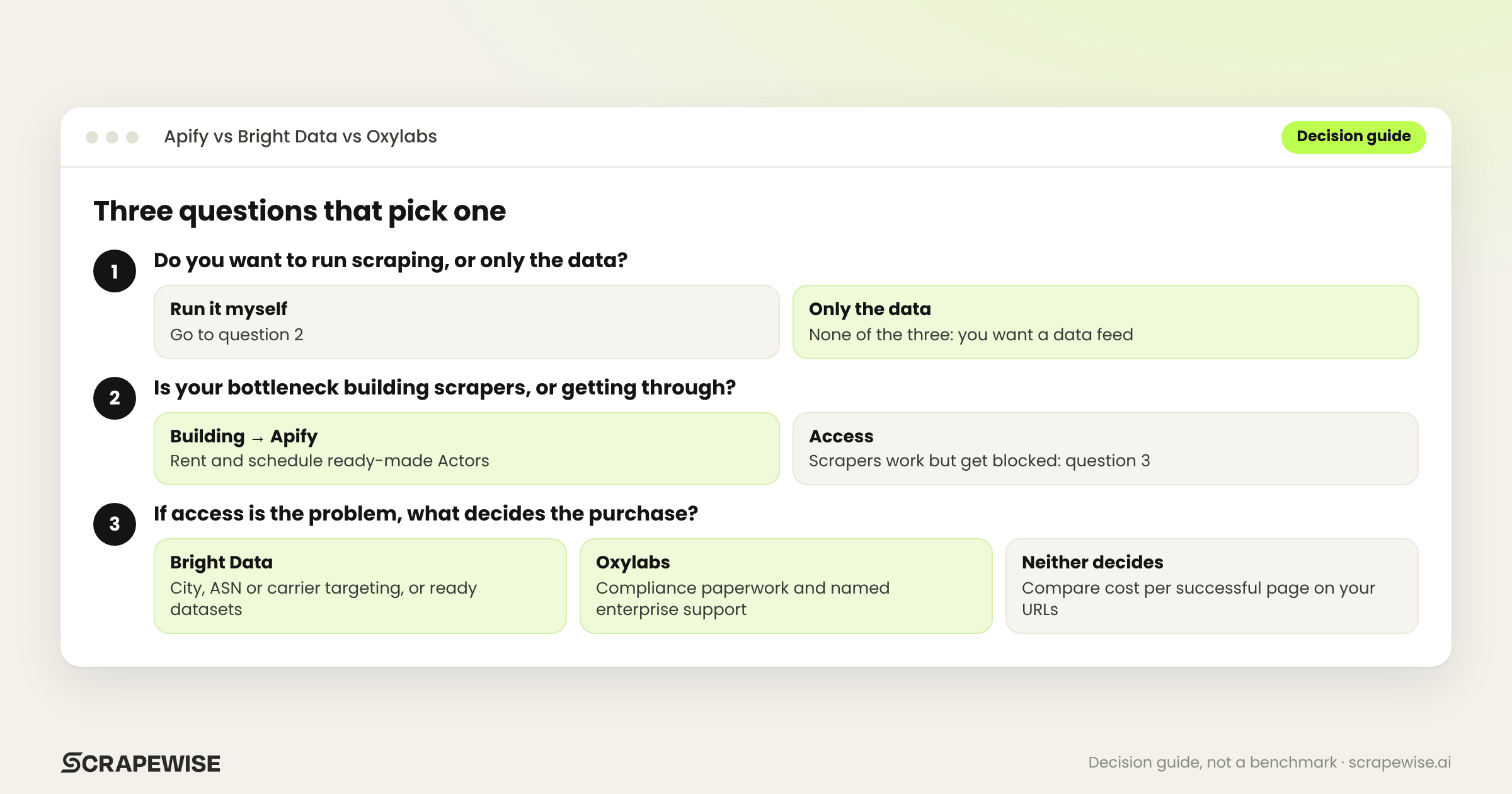
1. Do you want to run scraping, or do you only want the data?
All three sell tools. You still write or rent the scrapers, run them, and fix them when a site changes. If what you really want is competitor prices or product rows landing in a spreadsheet or your BI, none of the three is the full answer. Skip to what none of the three does.
2. Is your bottleneck building scrapers, or getting through to the site?
- Building (you have no scraper yet, or each new site takes your team a week): Apify. Its Store has ready-made scrapers, called Actors, that you rent, adapt and schedule.
- Access (your scrapers work, but sites block them): Bright Data or Oxylabs. Proxies and unblocking are their core business. Go to question 3.
3. If access is the problem, what decides the purchase?
- You need targeting below country level (city, ASN or mobile carrier), or a ready-made dataset for a site you'd rather not crawl: Bright Data.
- Procurement wants compliance documentation, a long contract and named support: Oxylabs.
- Neither of those: run a few hundred of your own URLs through both and compare billed spend per successful page. That number settles it, and it often disagrees with the spec sheets.
One combination is common enough to plan for: Apify for building and scheduling, with Bright Data or Oxylabs proxies plugged in for the sites that refuse it. Apify accepts your own proxies, so you don't have to pick only one.
All Three Side by Side
Prices below were checked on each vendor's own pricing page in November 2026. They change often, so treat them as a starting point and open the links before you budget.
| Apify | Bright Data | Oxylabs | |
|---|---|---|---|
| Built around | Actor marketplace + platform | Proxy network + web data | Enterprise proxy + scraper APIs |
| Best at | Assembling or renting scrapers | Access at scale and geo reach | Enterprise unblocking and support |
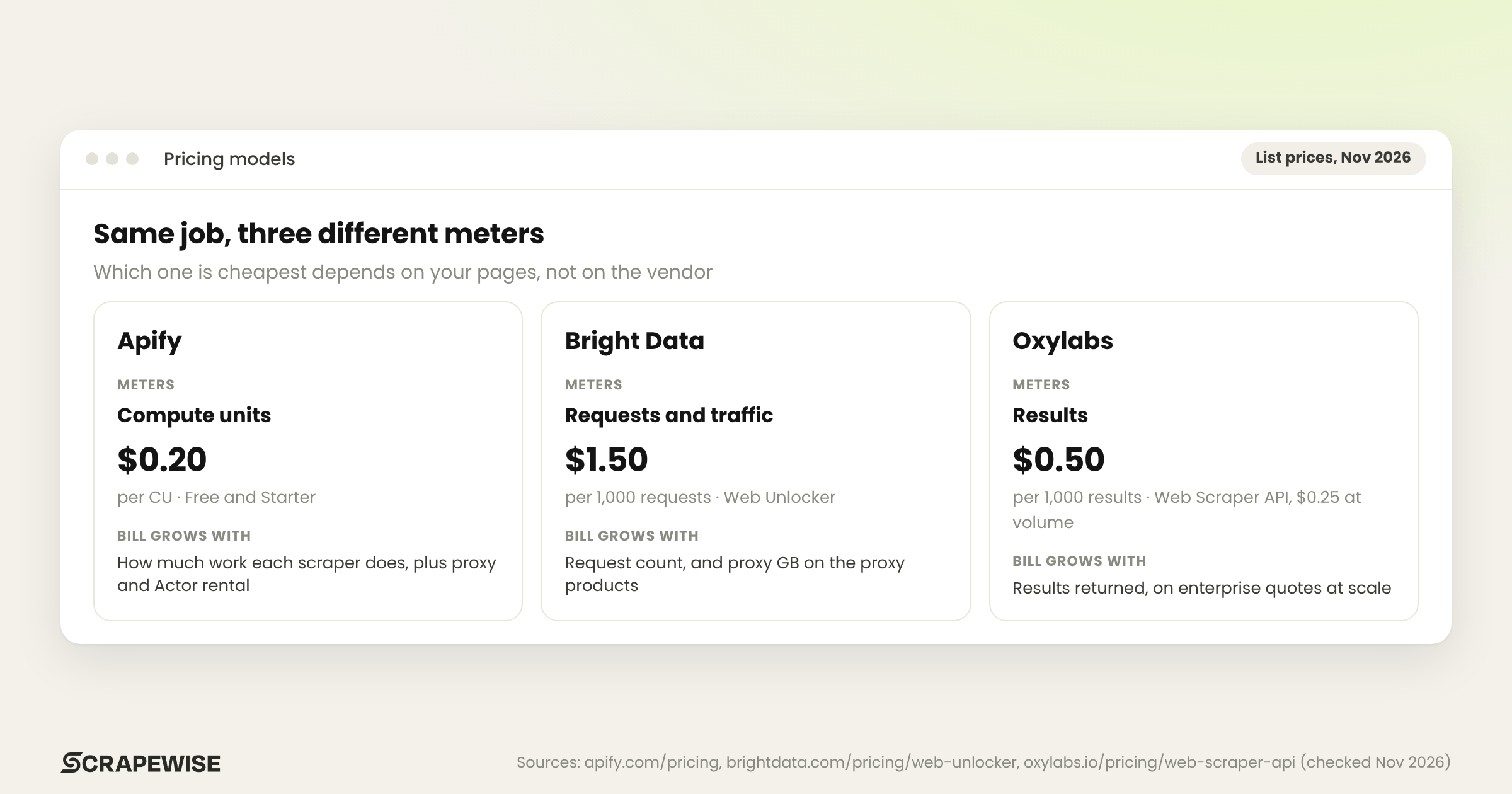
| What it meters | Compute units + proxy + rental; $0.20 per CU on Free and Starter (pricing, Nov 2026) | Proxy GB + product tiers; Web Unlocker $1.50 per 1,000 requests (pricing, Nov 2026) | Proxy and API usage; Web Scraper API from $0.50 per 1,000 results, down to $0.25 at volume (pricing, Nov 2026) |
| You still run the scrapers | Yes | Yes, or use their APIs | Yes, or use their APIs |
| Anti-bot handling | Your job, with their proxies | Strong unblocker products | Strong unblocker products |
| E-commerce | Ready-made Store Actors for Amazon, Shopify and other retailers, many maintained by community developers | Web Scraper API and Web Unlocker, plus ready-made datasets | Web Scraper API with dedicated sources for Amazon, Walmart, eBay, Target and other marketplaces |
| AI and LLM data | Website Content Crawler outputs Markdown for RAG; MCP server lets agents run Actors | SERP API, Web Unlocker and an MCP server | AI Studio, OxyCopilot and an official MCP server |
| Proxy network | Datacenter, residential and Google SERP proxies; pool size not published; own proxies supported | Residential, ISP, datacenter and mobile; 400M+ monthly residential IPs in 195 countries (vendor claim, Sept 2026) | Residential, mobile, datacenter and ISP; 175M+ residential IPs in 195 countries (vendor claim, Nov 2026) |
| Product matching and price cleaning | Not in the platform; separate community matching Actors in the Store | Not in the proxy or scraper APIs; part of the separate Bright Insights price tracker | Not stated; the Web Scraper API returns parsed JSON |
| Best fit | Engineering teams who want to build fast | Hard-to-reach, high-volume jobs | Enterprise, compliance-driven buyers |
The row most comparisons skip is "what it meters". Apify charges for the work a scraper does, Bright Data mainly for traffic, and Oxylabs for requests or results. The same job can come out cheap on one and expensive on another, so no single vendor is "the cheapest". The cost per page you actually receive is the only fair comparison. For exact rates across these and other providers, see the scraping API pricing comparison, which is kept up to date. If Apify is on your list, the Apify pricing calculator estimates its bill from your SKU count and refresh rate.
Which Head-to-Head Should You Read Next?
Once the three questions have narrowed it to two, the detailed comparison for that pair is where the real decision happens. Each one goes deeper than this overview can.
| If it's down to | The question that decides it | Read |
|---|---|---|
| Apify or Bright Data | They meter different units, so the same job costs opposite amounts. Which one suits your own pages? | Apify vs Bright Data |
| Bright Data or Oxylabs | IP-pool counts don't decide it. Cost per successful page on your own URLs does, plus geo depth and procurement needs. | Bright Data vs Oxylabs |
| Oxylabs or Apify | Access or assembly: are you short of scrapers, or getting blocked? | Oxylabs vs Apify |
Shortlisting a different fourth name? Apify vs Zyte covers an API that returns extracted data rather than a proxy pool, and the real-time scraping API comparison ranks options by cost per usable row.
What None of the Three Does
All three hand you tools, not outcomes. Whichever you pick, your team still owns the work around the tool:
- writing or renting scrapers, and fixing them when a retailer changes its pages
- picking proxies and handling blocks when a site updates its anti-bot setup
- cleaning the rows: prices as numbers, one currency, pack sizes comparable
- matching each competitor row to your own products, which none of the three includes in its core product
The platform fee is the cost you see. The engineer time on that list is the cost you don't, and it comes back every month. Our guide on scraping without getting blocked covers why the upkeep, not the first build, is the larger share of the work.
If your goal is competitor prices, stock or product data in your own systems, a different kind of service fits better. ScrapeWise, which publishes this blog, sits one layer up: you add the URLs, it runs the scrapers, proxies and rendering, and you get rows as a table, CSV or Excel, through the REST API or the MCP server. Self-serve can match those rows to your own SKUs from a product list you upload (EAN or ID first, then title, brand and size, then pictures), and Managed Data, from €1,500 a month plus setup, does the whole job for you.
The honest trade-off: it is a data feed, not a toolkit. Runs go at most once a day, there are no alerts or repricing, and some sites block automated visits or need a login, as they do for every tool. Billing is per delivered page from €0.15 per 1,000, up to €3.75 for pages that need a browser and a residential proxy, with no plan and no compute units. See product matching and competitor price tracking for what the output looks like.
So Which Should You Pick?
- Apify: you need scrapers and don't have them, and you can budget for consumption-based cost.
- Bright Data: your scrapers get blocked, and you need fine geo-targeting or ready datasets.
- Oxylabs: the same access problem, where enterprise support and compliance decide the purchase.
- Apify plus Bright Data or Oxylabs proxies: you want Apify's tooling and need stronger access on a few targets.
- None of the three: you want clean, matched rows on a schedule rather than a scraping operation to run.
Before you sign up for any of them, measure the size of the job. The free product URL extractor takes one competitor category URL and returns the product pages inside it, and tells you whether the site answered a plain request or needed a proxy, which is the biggest driver of what any of these three will charge.
If the last option is you, run a few of your own competitor URLs through ScrapeWise: the first 5 requests are free, no card needed. For the short two-way versions, see ScrapeWise as an Apify alternative, a Bright Data alternative and an Oxylabs alternative.
Test ScrapeWise on your own URL
Paste the page you need and judge the output yourself. Pay per page, no monthly plan. 5 free requests, no card.
Not ready to sign up? See 40 rows from a real Amazon search →
5 free requests no credit card · pay per page, no monthly plan · book a 15-min call →