
Browse AI Alternatives: 6 Tools Compared
Short version: recording a robot in Browse AI takes about ten minutes. Re-recording it the week the site redesigns takes another ten, and that task keeps landing on someone at your company rather than at a vendor. Below: what each realistic Browse AI alternative bills you for, who ends up maintaining the extraction, and the cases where staying on Browse AI is the right call.
Six Browse AI Alternatives, Side by Side
| Tool | Pricing model | Who maintains it | Best for |
|---|---|---|---|
| ScrapeWise | €0.15 per 1,000 plain pages delivered | The platform — no robot to re-record | Recurring price and catalogue feeds you do not want to babysit |
| Browse AI | Credits per robot run · free 50/mo, $19–$249/mo | You — re-record when the layout moves | Quick one-off captures and Sheets-first workflows |
| Octoparse | Seat plus cloud credits | You — re-record the workflow | Desktop-style point-and-click with cloud scheduling |
| ParseHub | $189–$599/mo, page caps per run | You — on your own machine | Desktop projects on simple, stable HTML |
| Thunderbit | Credits, browser extension | You — and the browser has to be open | Ad-hoc grabs while you are already on the page |
| Kadoa | Quoted, usage-based | The vendor, for supported shapes | AI-defined schemas where you can tolerate a quote cycle |
| Apify | Platform fee plus per-actor rental and compute | The actor author — or you, if you fork it | Developer teams who want to run their own code |
Which One Actually Fits
Stay on Browse AI if
Your workflow ends in a Google Sheet, your targets are stable mainstream sites, and a robot or two is all you run. The Sheets integration and the Zapier/Make hooks are genuinely good, and nothing here replaces them one for one.
Move if the robot keeps breaking
The tell is a recurring calendar entry that says "fix the robot". Re-recording is cheap once and expensive forever. If you have re-recorded the same robot three times this quarter, the cost is your team's attention, not the $19.
Move if you monitor daily
Credits are consumed per run. Twenty competitors checked every morning is 600 runs a month before you have added a single new target. Per-page billing does not care how often you schedule.
Move if the site has no robot
Prebuilt robots cover the big platforms. Regional marketplaces, national grocery chains and B2B distributor catalogues usually are not in anyone's library, and that is exactly where competitor pricing lives.
Pick a developer platform if
You want to write and version your own extraction code, run custom browser logic, and treat scrapers as part of your codebase. Apify is the right shape for that; a no-code recorder is not.
Do not choose ScrapeWise if
You need a native Google Sheets destination with no glue code, or you want a visual workflow canvas that chains scraping into enrichment and outreach. ScrapeWise delivers rows by REST API and CSV, and assumes the orchestration lives somewhere else.
Browse AI vs ScrapeWise
Why Teams Look Beyond Browse AI
Recording Is Fast. Re-Recording Is Forever
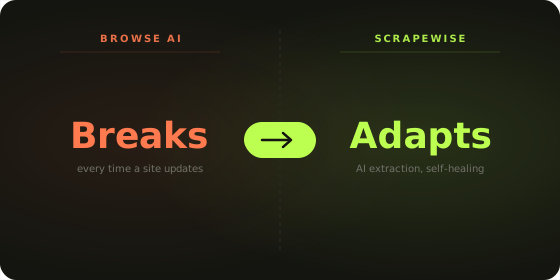
A robot is a click path frozen in time. The moment a target site moves a price into a different element, the path points at nothing and the robot returns blanks or stops. Nobody is on call for that but you. One robot is fine. Thirty robots across thirty retailers is a standing maintenance job that never appears on the invoice.
Credits Are Consumed Per Run, Not Per Row
Browse AI charges when a robot executes. Daily monitoring multiplies that by 30 before you have added a competitor. Teams routinely discover that the frequency they actually want — hourly during a promotion — is the thing the pricing model punishes hardest.
No Robot for the Sites That Matter Most
The prebuilt library covers the platforms everybody already watches. The competitor that is actually eroding your margin is usually a regional retailer or a distributor catalogue nobody has templated. You can record it yourself — and then you own its maintenance forever.
Rows Land in a Sheet and Stop There
Browse AI's job ends at delivery. Matching a competitor SKU to yours, spotting the price that moved overnight, and keeping history are all downstream problems you solve somewhere else. ScrapeWise keeps delivered rows in an AG Grid layer you can filter and pivot without an export step.
Every New Competitor Is a New Build
Adding a retailer means recording another robot, mapping the fields again and then keeping it alive. The work scales with the number of sites you track rather than the value of tracking them, and coverage growth is usually the first thing to stall.
Matching Is Left to You
Browse AI returns rows from a site. Deciding that a competitor's listing is the same product as your SKU is a separate problem, and it is the one that decides whether a price comparison is true. ScrapeWise treats matching as part of delivery, not a spreadsheet step afterwards.
A Robot Is a Click Path. A Feed Is an Outcome
Browse AI's user base proves the demand for no-code scraping is real, and the recording experience is genuinely good. The question is not whether recording works — it is who re-records when the site changes, and whether your pricing feed should depend on that person being free that week.
- ✕ Every robot is a click path you maintain
- ✕ Credits burn per run, so frequency costs money
- ✕ Niche and regional sites need your own recording
- ✕ No analytics layer after delivery
- ✕ Unused credits do not roll over on lower plans
- ✓ Extraction adapts — nothing to re-record
- ✓ €0.15 per 1,000 plain pages delivered, at any frequency
- ✓ Any public site bills at the same rate
- ✓ AG Grid analytics built in
- ✓ Balance never expires, top up from €5
What Monitoring 20 Competitors Daily Costs
| 20 competitors · 500 SKUs each · daily | Browse AI | ScrapeWise |
|---|---|---|
| Pages fetched per month | 300,000 | 300,000 |
| What the meter counts | Robot runs | Pages delivered |
| Plan required | Professional tier or above | None — balance only |
| Monthly cost | $99+/mo, rising with run count | €45 at €0.15 per 1,000 |
| Adding a 21st competitor | More runs against the same credit pool | +15,000 pages. Nothing else changes |
| Doubling to twice-daily checks | Doubles credit consumption | Doubles pages. Same rate |
| A target site redesigns | Someone re-records the robot | No re-record — the extraction adapts |
| A run returns nothing | Credits can still be consumed | Undelivered pages are not billed |
Pricing Comparison
Browse AI
- - Free: 50 credits/mo
- - Starter: $19/mo (~2,000 credits)
- - Professional: $99/mo (~10,000 credits)
- - Team: $249/mo for multiple users
- - Per-run billing — high-frequency monitoring scales the bill fastest
- - Credits do not roll over on lower plans
Scrapewise
- ✓ Pay-as-you-go: no monthly plan, no quota
- ✓ Plain pages: €0.15 per 1,000 (€0.00015 per page)
- ✓ Render: €0.75 per 1,000 · Super (residential proxy): €1.50 per 1,000
- ✓ You only pay for pages that are delivered
- ✓ 5 free requests on every new account
- ✓ No project, robot or seat limits — your balance is the only limit
Moving Off Browse AI
1. List the robots that actually matter
Most accounts carry robots built for a one-off question two quarters ago. Open the run history and keep only the ones that ran this month. Everything else is not a migration item, it is a deletion.
2. Write down the output shape
For each surviving robot, record the columns it returns and where they land — a Sheet tab, a Zapier step, a webhook. That schema is the contract you have to reproduce, and it is usually narrower than the robot suggests.
3. Check the 36 ready-made endpoints first
If your target is a common marketplace or retailer, there is likely an endpoint already covering it. That removes the build step entirely and you go straight to scheduling.
4. Run both in parallel for one week
Keep the Browse AI robot on its existing schedule and run the ScrapeWise job alongside it. Diff the two outputs daily. A week of overlap is cheap insurance against discovering a missing column after cancellation.
5. Repoint the destination
Wherever the Sheet or the Zapier step was reading from, swap in a CSV export or the REST API. This is the only integration work, and it is one change per destination, not one per robot.
6. Cancel and keep the balance model
Once the diff is clean, turn off the subscription. There is no plan to pick on the other side — you top up from €5, the balance does not expire, and the monthly decision disappears.
Stop Re-Recording the Same Robot
ScrapeWise replaces Browse AI's per-run credits and per-site recordings with pages delivered at €0.15 per 1,000 and extraction that survives a redesign. Monitor the competitors that matter, at the frequency you actually want.
Frequently Asked Questions
Common questions when comparing Browse AI and its alternatives.
It depends on what breaks first for you. If robots keep needing re-recording and you monitor daily, ScrapeWise fits — pages are billed at €0.15 per 1,000 delivered and there is no click path to maintain. If you want to run your own code, Apify is the closer match. If you simply want a different recorder with cloud scheduling, Octoparse covers that shape.
Don't take the table's word for it
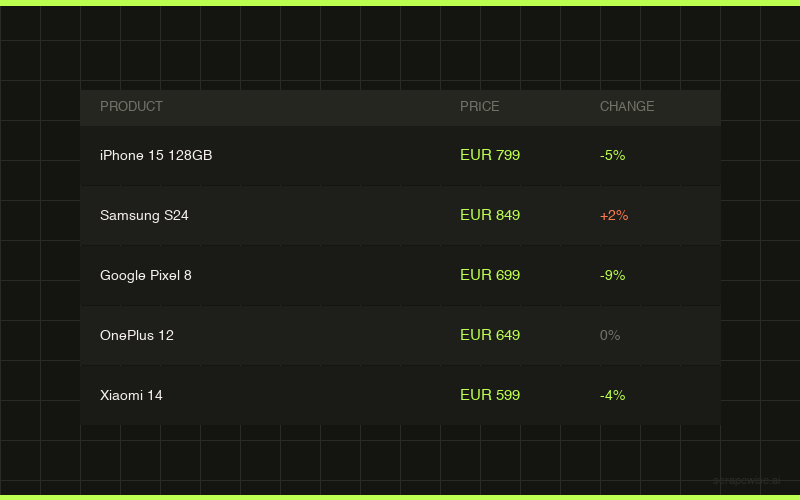
Every ScrapeWise data API page ships a real sample table you can read on the page and download as CSV — no account, no card, no email.
Switching from Browse AI and want it walked through? Book a 15-min call →