
WebScraper.io Alternatives: 6 Tools Compared
Short version: the extension is free and genuinely capable, but a sitemap is not a schedule — the moment you need runs that happen without you, you are on a cloud plan billed per page on top of the selector tree you still maintain. Below: what each realistic WebScraper.io alternative bills you for, how much configuration you own, and the cases where staying on WebScraper.io is the right call.
Six WebScraper.io Alternatives, Side by Side
| Tool | Pricing model | What you still configure | Best for |
|---|---|---|---|
| ScrapeWise | €0.15 per 1,000 plain pages delivered | The fields you want — once | Recurring price and catalogue feeds |
| WebScraper.io | Free extension · cloud from $50/mo per page credits | A sitemap: selector types, tree, pagination | Technical users who like explicit control and run locally |
| Octoparse | Seat plus cloud credits | A recorded workflow you re-record on redesign | Point-and-click with a large template library |
| ParseHub | $189–$599/mo, page caps per run | A desktop project per target | Simple, stable HTML on your own machine |
| Browse AI | Credits per robot run | A recorded click path per site | Sheets-first capture on stable sites |
| Thunderbit | AI credits per extraction | Nothing — but the browser must be open | Ad-hoc grabs on the page in front of you |
| Apify | Platform fee plus per-actor rental and compute | Your own code, in version control | Developer teams running custom logic |
Which One Actually Fits
Stay on WebScraper.io if
You are comfortable with selector trees, you run locally, and free is the point. For a technical user extracting occasionally from their own browser, the extension is one of the best-value tools in the category and nothing here undercuts free.
Move if you need the cloud anyway
The free tier ends the moment you want unattended runs. Once you are paying $50/mo for page credits, the honest comparison is against other paid platforms — and at that point you are paying for scheduling and still maintaining the sitemap yourself.
Move if the sitemap is the bottleneck
Selector types, element trees and pagination rules are coding without the syntax. That is fine when one person owns it and expensive when the person who built it changes team. If sitemaps keep needing someone senior, the model is the cost.
Move if sites keep changing
A selector tree points at specific DOM structure. Redesigns break it silently — rows come back empty rather than erroring. Watch how often you rebuild a sitemap; that frequency is the real running cost.
Pick a developer platform if
You want scrapers in version control alongside your application, with custom browser logic and your own libraries. Apify is designed for that. A sitemap tree is a constrained visual language by comparison.
Do not choose ScrapeWise if
You want fine-grained manual control over every selector and every navigation step, or you want to run entirely locally at zero cost. ScrapeWise deliberately hides the selector layer — that is the trade, and for some users it is the wrong one.
WebScraper.io vs ScrapeWise
Why Teams Move On from WebScraper.io
A Sitemap Is Coding Without the Syntax
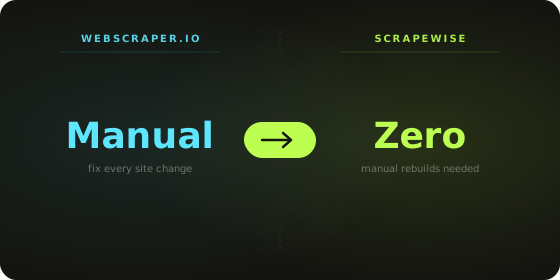
Before a single row arrives you have to choose selector types, build an element tree and define pagination rules. It is a well-designed model and it is genuinely powerful — but it is programming with a mouse, and it concentrates the knowledge in whoever built it. When that person moves on, the sitemaps become nobody's.
Free Stops Exactly Where Monitoring Starts
The extension runs locally, which is perfect until you want data at 6am without opening a laptop. Cloud runs start at $50/mo for a page-credit allowance. The free tier is not a smaller version of the paid product — it is a different architecture with no schedule in it.
Selector Trees Break Quietly
When a site moves a price into a different element, a sitemap does not error — it returns blanks. Nothing alerts you, the run completes, and the report looks thinner than usual. Teams often discover a week of missing data after a decision has already been made on it.
Extraction Ends, Analysis Starts Somewhere Else
WebScraper.io delivers rows and stops. Matching competitor SKUs to yours, tracking overnight moves and keeping history all happen in exports and spreadsheets afterwards. ScrapeWise keeps delivered rows in an AG Grid layer you can filter and pivot without an export step.
Anti-Bot Handling Is Not Part of the Sitemap
A selector tree describes structure, not access. The sites holding the prices you most want are the ones most likely to refuse the request in the first place, and no amount of sitemap detail resolves a block.
Matching Competitors to Your SKUs Is Out of Scope
WebScraper.io returns rows from a site. Deciding which of those rows is your product — across different titles, different pack sizes and different SKUs — is the step that makes a price comparison trustworthy, and it stays on your side.
The Extension Is Free. The Schedule Is Not
WebScraper.io's browser extension is one of the best free tools in this category, and for a technical user extracting on demand it is hard to argue with. The comparison only gets interesting once you need runs that happen without you — because that is the point where you start paying, and you are still the one maintaining the sitemap.
- ✕ Build a selector tree before the first row
- ✕ Free tier runs locally, no scheduling
- ✕ Cloud plans from $50/mo for page credits
- ✕ Redesigns return blanks rather than errors
- ✕ Analysis happens in exports
- ✓ Describe the fields once, no selector tree
- ✓ Cloud scheduling from the first request
- ✓ €0.15 per 1,000 plain pages delivered
- ✓ Extraction adapts when a page changes
- ✓ AG Grid analytics built in
What 150,000 Cloud Pages a Month Costs
| 10 competitors · 500 SKUs · daily | WebScraper.io Cloud | ScrapeWise |
|---|---|---|
| Pages fetched per month | 150,000 | 150,000 |
| What the meter counts | Page credits against a plan | Pages delivered |
| Entry plan | $50/mo covers 5,000 pages | None — balance only |
| Monthly cost at this volume | Well above the entry tier — check the credit ladder | €22.50 at €0.15 per 1,000 |
| Adding an 11th competitor | +15,000 credits — may push you a tier | +15,000 pages. Nothing else changes |
| Doubling check frequency | Doubles credits against the same plan | Doubles pages. Same rate |
| A target site redesigns | You rebuild the sitemap | No rebuild — the extraction adapts |
| A page does not come back | Can still consume a credit | Not billed |
Pricing Comparison
WebScraper.io
- - Free: browser extension only, runs locally
- - Cloud: from $50/mo for 5,000 page credits
- - Higher cloud tiers add credits, concurrency and retention
- - Billed per page scraped in cloud mode
- - Team and enterprise tiers priced separately
- - The free tier has no scheduling and no cloud runs
Scrapewise
- ✓ Pay-as-you-go: no monthly plan, no quota
- ✓ Plain pages: €0.15 per 1,000 (€0.00015 per page)
- ✓ Render: €0.75 per 1,000 · Super (residential proxy): €1.50 per 1,000
- ✓ You only pay for pages that are delivered
- ✓ Cloud scheduling included from the first request
- ✓ 5 free requests on signup · top up from €5 · balance never expires
Moving Off WebScraper.io
1. Export the sitemaps as JSON
WebScraper.io lets you export each sitemap. Do this before anything else, even if you never import it anywhere — the JSON is the only written record of which URLs you target and which fields you take, and it usually exists nowhere else.
2. Read the leaf selectors, ignore the tree
The navigation and pagination structure does not migrate and does not need to. What matters is the leaves: the handful of fields that end up in your report. Write those down as plain column names.
3. Separate local runs from scheduled ones
Anything you only ever run by hand can stay on the free extension — there is no reason to pay to replace free. Only the jobs that want a schedule are migration candidates, and that is the set worth spending on.
4. Check the 36 ready-made endpoints first
If your targets are common marketplaces or retailers, an endpoint may already cover them and there is no configuration at all. Free requests are enough to confirm the output shape matches your columns.
5. Run both for one week
Keep the sitemap running on its existing routine and run the scheduled job alongside. Diff the outputs daily. This is also the moment you discover whether the sitemap has been quietly returning blanks on some rows.
6. Drop the cloud plan, keep the extension
Once the diff is clean, cancel the cloud subscription — but leave the extension installed. It stays genuinely useful for ad-hoc local extraction, and it now costs you nothing because the recurring half moved to per-page billing.
No Sitemaps. No Extension. Just Scheduled Rows.
Keep the extension for local one-offs. Move the recurring half to a platform where scheduling is included, the selector tree disappears, and you pay €0.15 per 1,000 plain pages delivered.
Frequently Asked Questions
Common questions when comparing WebScraper.io and its alternatives.
For scheduled feeds with no selector tree to maintain, ScrapeWise fits — €0.15 per 1,000 plain pages delivered and scheduling included. For a similar visual model with a template library, Octoparse. For custom code, Apify. If you only ever run locally, the honest answer is that free is hard to beat.
Don't take the table's word for it
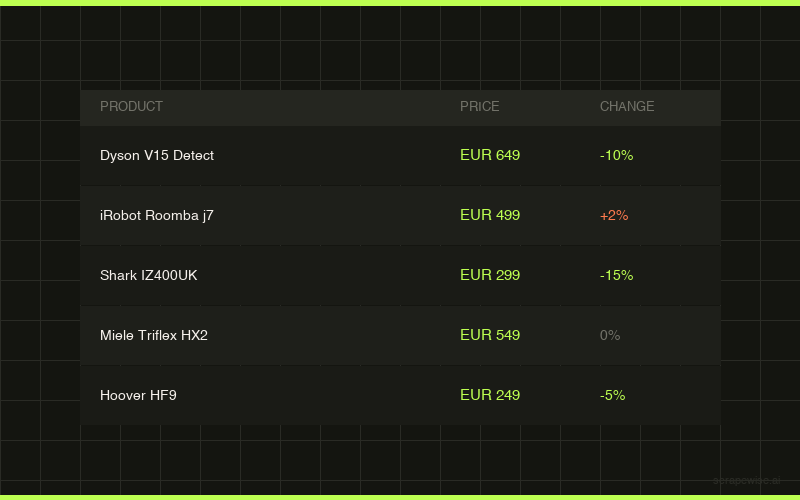
Every ScrapeWise data API page ships a real sample table you can read on the page and download as CSV — no account, no card, no email.
Switching from WebScraper.io and want it walked through? Book a 15-min call →