
Thunderbit Alternatives: 6 Tools Compared
Short version: Thunderbit's AI extraction is genuinely quick on a page you are already looking at. The limit is architectural, not intelligence — an extension runs inside your browser, on your machine, while you are awake. Below: what each realistic Thunderbit alternative bills you for, where the job actually executes, and the cases where staying on Thunderbit is the right call.
Six Thunderbit Alternatives, Side by Side
| Tool | Pricing model | Where it runs | Best for |
|---|---|---|---|
| ScrapeWise | €0.15 per 1,000 plain pages delivered | Cloud, on a schedule, unattended | Recurring price and catalogue feeds |
| Thunderbit | AI credits per extraction | Your Chrome tab, while it is open | Grabbing a table off the page in front of you |
| Browse AI | Credits per robot run | Cloud, but you maintain the robot | Sheets-first workflows on stable sites |
| Octoparse | Seat plus cloud credits | Desktop app or their cloud | Point-and-click workflows with scheduling |
| ParseHub | $189–$599/mo, page caps per run | Desktop app on your machine | Simple, stable HTML projects |
| Kadoa | Quoted, usage-based | Vendor cloud | AI-defined schemas with a sales cycle |
| Apify | Platform fee plus per-actor rental and compute | Their cloud, your code | Developer teams running custom logic |
Which One Actually Fits
Stay on Thunderbit if
Your scraping is opportunistic — you are on a page, you want the table, you want it now. Nothing on this list beats an extension for that, and adding cloud infrastructure to a five-second task is the wrong trade.
Move if the schedule matters
The tell is any sentence containing "every morning". Competitor prices move overnight, and an extension cannot fetch them while your laptop is shut. This is not a feature gap you can work around — it is where the code runs.
Move if more than one person needs it
An extension is installed per browser, per person. There is no shared scraper, no shared history, and no way to hand the job over when someone is on holiday. Business monitoring outlives individual employees.
Move if credits bite on repeat runs
Credit models are priced for occasional AI inference, not for the same 10,000 pages every day. Once the same job repeats daily, per-page billing is simply the cheaper arithmetic.
Pick a developer platform if
You need custom browser logic, your own libraries, and scrapers versioned alongside your application code. Apify is built for that. An AI extension is deliberately the opposite of it.
Do not choose ScrapeWise if
Your use case is genuinely ad-hoc — one page, once, right now. Signing into a platform to fetch a single table is slower than the extension you already have installed. Keep Thunderbit for that and use a scheduled feed for the recurring half.
Thunderbit vs ScrapeWise
Why Teams Move Beyond Thunderbit
An Extension Cannot Run at 3am
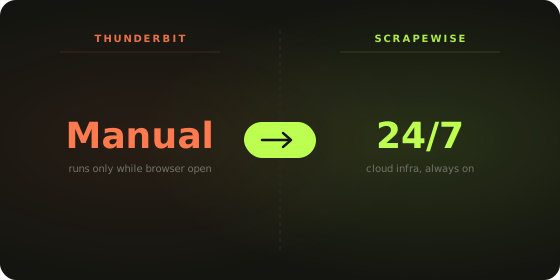
Thunderbit executes inside your browser, on your machine, while that machine is awake and that tab is open. Competitor prices change overnight and during promotions. Every monitoring workflow eventually collides with this, and no amount of credits fixes it — the job has to run somewhere that is not your laptop.
Credits Are Priced for One-Offs, Not Repeats
AI credits make sense when inference is the expensive part and you do it occasionally. Once the same 10,000 product pages are fetched every morning, you are paying an inference price for a fetch problem. Per-page billing — €0.15 per 1,000 plain pages — is the arithmetic that matches a recurring job.
There Is No Team Version of a Browser Extension
Scrapers live in one person's Chrome profile. Nobody else can see them, fix them, or inherit them. When that person leaves or goes on holiday, the monitoring leaves with them. Business-critical feeds need infrastructure, not a personal productivity tool.
Your Own Session Is Doing the Anti-Bot Work
Running inside your browser means running with your cookies, your IP and your login state. That is convenient right up until a site rate-limits your address or you need residential routing for a market that geoblocks you. A cloud platform separates the fetch tier from your personal session.
Grabbing a Page Is Not Tracking It
An extension is genuinely good at getting this page, now. Monitoring is the same page every day, with yesterday's value sitting next to it so a change is visible. The second job needs storage and a schedule, which is a different kind of product.
Nothing to Hand to a Developer
When the data has to reach a repricer, a warehouse or a dashboard, an extension has no scheduled feed to point at. The handoff becomes a person exporting a file, which is exactly the step automation was meant to remove.
Monitoring That Runs Even When You Don't
Thunderbit's AI extraction works impressively on pages other tools stumble over, and for a one-off grab it is faster than anything that requires a login. The question is not whether the extraction is good — it is whether a feed your pricing decisions depend on should require someone's laptop to be open.
- ✕ Requires Chrome open on your machine
- ✕ No unattended scheduled runs
- ✕ Credits priced for occasional extraction
- ✕ Installed per person, not per team
- ✕ You re-run it for every recurring check
- ✓ Runs in the cloud, laptop shut
- ✓ Schedules run hands-off
- ✓ €0.15 per 1,000 plain pages delivered
- ✓ Shared team workflows and analytics
- ✓ Set it once, rows keep arriving
What a Daily 10,000-Page Check Costs
| 10,000 pages · every morning | Thunderbit | ScrapeWise |
|---|---|---|
| Pages fetched per month | 300,000 | 300,000 |
| What the meter counts | AI credits per extraction | Pages delivered |
| Who has to be present | You, with Chrome open | Nobody |
| Monthly cost | Credit plan, scaling with volume | €45 at €0.15 per 1,000 |
| Running it hourly instead | 24× the credit consumption and 24 manual runs | 24× the pages. Same rate, same schedule |
| Checking a second market | Another manual pass per market | Add the URLs. Nothing else changes |
| The laptop is shut | No data that day | Rows arrive as scheduled |
| A run returns nothing | Credits can still be consumed | Undelivered pages are not billed |
Pricing Comparison
Thunderbit
- - Free: limited AI credits
- - Paid tiers from roughly $19/mo, credit-based
- - Credits consumed per extraction
- - High-frequency monitoring depletes credits quickly
- - No cloud scheduling — the extension has to be running
- - Credits typically reset monthly
Scrapewise
- ✓ Pay-as-you-go: no monthly plan, no quota
- ✓ Plain pages: €0.15 per 1,000 (€0.00015 per page)
- ✓ Render: €0.75 per 1,000 · Super (residential proxy): €1.50 per 1,000
- ✓ You only pay for pages that are delivered
- ✓ Cloud scheduling included — runs without you
- ✓ 5 free requests on signup · top up from €5 · balance never expires
Moving Off Thunderbit
1. Split ad-hoc from recurring
Most Thunderbit usage is genuinely one-off and should stay exactly where it is. Only the jobs with a rhythm — daily, weekly, every promotion — are migration candidates. Be honest about which is which; the list is usually shorter than expected.
2. Write down the URL set
An extension hides this: you navigate to the page and press a button, so the target list lives in your head or your bookmarks. Get it into a spreadsheet. The URL set is the real asset, and it is what a scheduled job needs as input.
3. Record the columns you actually use
Thunderbit will happily infer a dozen fields. Look at what survives into the decision you make — usually price, availability, title and a link. That short list is the schema to reproduce, not everything the AI offered.
4. Check the 36 ready-made endpoints first
If your targets are common marketplaces or retailers, an endpoint may already cover them. That skips the configuration step entirely and you go straight to scheduling.
5. Run one week in parallel
Keep doing the manual extension pass while the scheduled job runs alongside it. Diff the two outputs each morning. A week of overlap catches the one column that mattered and nobody mentioned.
6. Move the schedule off your laptop
Once the diff is clean, stop doing the manual pass. The job now runs whether or not you are at your desk, and the recurring calendar reminder that used to say "pull competitor prices" can be deleted.
Scheduled Cloud Monitoring. No Browser Required.
Keep the extension for the one-off grabs. Move the recurring half to infrastructure — scheduled, unattended, shared across the team, and billed at €0.15 per 1,000 plain pages delivered.

Frequently Asked Questions
Common questions when comparing Thunderbit and its alternatives.
For scheduled, unattended monitoring, ScrapeWise fits — the job runs in the cloud and bills €0.15 per 1,000 plain pages delivered. For cloud recording with a Sheets destination, Browse AI is closer. For custom code, Apify. If your use is genuinely ad-hoc, the honest answer is that no alternative beats the extension you already have.
Don't take the table's word for it
Every ScrapeWise data API page ships a real sample table you can read on the page and download as CSV — no account, no card, no email.
Switching from Thunderbit and want it walked through? Book a 15-min call →