

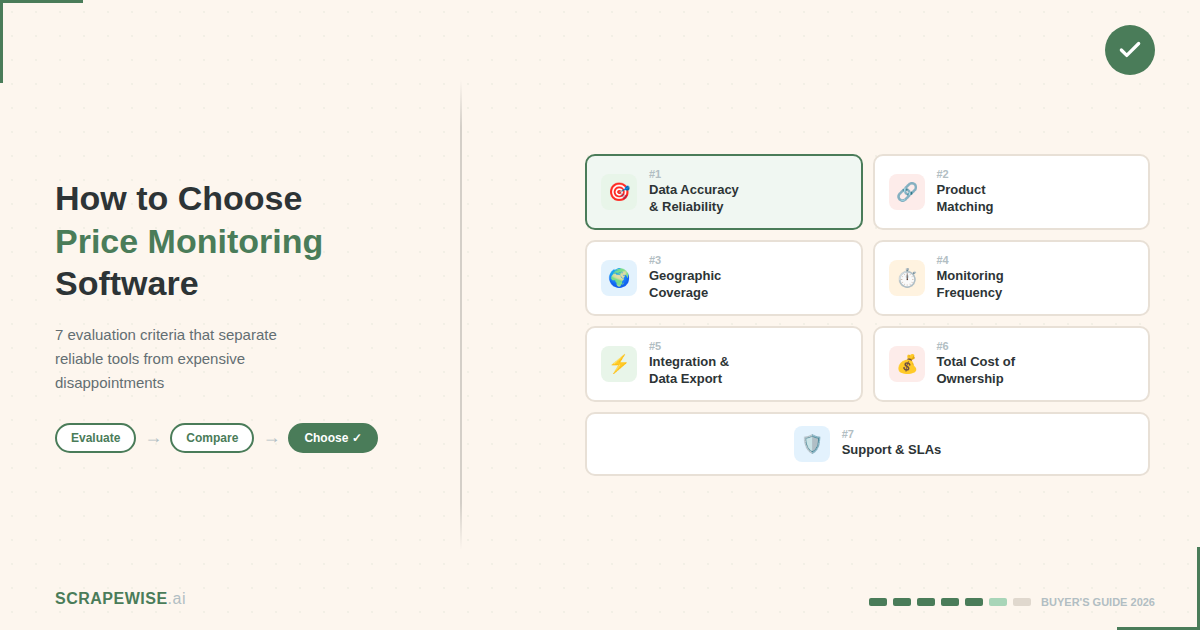
The Price Monitoring Tool Buyer's Guide: How to Pick One That Won't Waste Your Budget
You've been asked to find a price monitoring tool. You search "best price monitoring tools", open ten vendor sites, and they all promise the same things. Three months after signing, the data has gaps, the tool covers Amazon but not the local shops you actually compete with, and your team is back in Excel.
To choose price monitoring software, start with your situation, not the vendor list. Work out which type of buyer you are, test every tool on your own competitor links for two weeks, check how it matches products, and confirm it covers your regional competitors. Then compare the full cost. This guide walks through each step.
Price monitoring software is a tool that collects your competitors' prices from their websites and marketplaces on a schedule and puts them next to your own, so you can see where you are cheaper, more expensive or out of line.
How do you choose price monitoring software?
Choose price monitoring software in four steps. Name your buyer type: marketplace seller, brand, retailer or multi-market operator. Run a two-week trial on your own competitor links, including the hardest sites. Check product matching and coverage of your regional shops. Then add up the full cost, including setup and your own team's time.
Here is the checklist to take into every vendor call. Each line is explained further down.
- Name your buyer type first: marketplace seller, brand, retailer or multi-market operator.
- Test with your own competitor links, not the vendor's demo sites.
- Count how many of your price points come back filled and correct after two weeks.
- Put your hardest competitor sites into the trial, next to the easy ones.
- Check how products are matched: by EAN, by hand, or by title, attributes and pictures.
- Test the matching on your local-language product names.
- Ask whether the regional shops you compete with are covered, by name.
- Check how the data gets out: dashboard, alerts, REST API, CSV or Excel, and how often it refreshes.
- Add up the full cost: setup, extra users, hard sites and your own team's hours.
- Don't buy more tool than your product count needs.
For a ranked list of products, see the price monitoring tools comparison. To see your own price next to one competitor before any trial, try the free competitor price checker.
Which type of price monitoring tool do you need?
The right tool depends on what you sell and where. Marketplace sellers need a repricer that changes prices automatically. Brands need minimum price (MAP) monitoring across resellers. Retailers need daily competitor prices matched to their own products. Multi-market sellers need the same, across several countries and currencies. Each points to a different kind of tool.
| Buyer type | Main question | Tool type | Sign you picked wrong |
|---|---|---|---|
| Marketplace seller | Am I winning the Buy Box? | Repricer | You change prices by hand after alerts |
| Brand or manufacturer | Who sells below our minimum price? | MAP monitoring | You match reseller listings by hand |
| Retailer watching competitors | Where am I cheaper or dearer? | Price intelligence with product matching | Many price points come back empty or wrong |
| Multi-market operator | How do prices differ by country? | Price intelligence with local coverage | A separate spreadsheet for uncovered markets |
The marketplace seller
You sell on Amazon, eBay or Bol.com and fight for the Buy Box. You need a repricer, not only a monitoring tool. Repricer, for example, says it "automatically responds to competitor price changes across Amazon" and lets sellers set rules or pick ready strategies. If you get alerts and then change prices by hand, the tool is creating work.
The brand watching minimum prices
You're a manufacturer or D2C brand and your resellers are supposed to keep to a minimum advertised price. Some don't. You need to track your own products across reseller sites and flag who goes under. That is a different job from watching competitors. Our guide on MAP monitoring and brand protection covers the enforcement side, and the MAP monitoring use case shows how the data is set up.
The retailer watching competitors
You sell thousands of products and care about a handful of competitors. You don't need minute-by-minute repricing. You need reliable daily data you can act on, with strong product data matching. This is where many tools struggle, because a competitor's own web shop is often harder to collect from than Amazon.
The multi-market European operator
You sell across Germany, the Nordics or Benelux. The same product has different competitors on .de, .nl, .se and .fi domains, and on comparison sites like idealo, Prisjakt and PriceRunner. You need local domain coverage and prices converted to one currency. Minderest, for example, says it can "monitor websites in any country, language, or currency."
How do you test a price monitoring tool's accuracy?
Test accuracy with a two-week trial on your own competitor links, not the vendor's demo sites. After two weeks, count how many of your price points came back filled, and spot-check a sample against the live pages. Include your hardest competitors. A tool that only works on easy sites leaves gaps exactly where you need data.
This is the question vendors least like to answer. If a tool collects from 80% of your competitor list, the other 20% of your decisions rest on guesswork.
What to do in the trial:
- Load your real competitor URLs.
- Check how complete the data is after two weeks, not two days.
- Include competitors with modern, script-heavy shops. Shops that build their pages in the browser are where basic tools most often come back with empty prices.
- Include the big retailers in your market that block automated visits. Some sites can't be collected at all, and an honest vendor will tell you which.
- Decide before the trial how many empty or wrong price points you will accept. Then hold every vendor to the same number.
Be wary of any vendor that quotes an accuracy percentage without testing your own list. Accuracy depends on your sites and your products.
How does product matching work in price monitoring tools?
Product matching links each competitor listing to the same product in your catalogue. It's done in three ways: by a shared code such as EAN or GTIN, by hand-made URL lists, or by comparing titles, brands, sizes and pictures. Most tools mix these. Wrong matches compare the wrong prices, which is worse than having no data.
The same product can be called "Nike Air Max 90 Essential" on one site and "AM90 ESS BLK/WHT" on another.
- EAN or GTIN matching works well when both sides show the code, but many shops don't show it on the page.
- Manual URL lists are precise but hard to keep up beyond a few hundred products.
- Matching on title, attributes and pictures scales further, but needs a review step for unsure pairs.
In Europe this gets harder. The same product has German, Dutch, Swedish and Finnish names. A tool that matches well in English may not on your local catalogue, so test it on your own product names.
To see one way this works, read how product matching links competitor rows to your own product list: a shared EAN or ID first, then text, then product pictures, with unsure pairs left for your review.
Will the tool cover your regional competitors?
Ask every vendor, by name, whether they cover the shops you compete with. Many tools are strong on marketplaces like Amazon and eBay and weaker on individual retailer sites. "Global coverage" in a sales deck means nothing if it misses the 20 local sites your team checks by hand every week.
If your main competitor is Elkjøp in the Nordics, Galaxus in Switzerland, Coolblue in the Netherlands or Verkkokauppa.com in Finland, put that site in the trial.
For shops that aren't in any vendor's ready-made list, competitor price tracking software that collects from any website you name is an alternative to tools limited to a fixed set of retailers.
Do you need real-time price monitoring, alerts and automatic price changes?
Most retailers don't need real-time monitoring. Daily data is enough to set prices, plan promotions and spot gaps. Real-time checks and automatic price changes matter mostly on marketplaces, where Buy Box rules reward fast reactions. Alerts are useful, but they only help if someone acts on them, so check how the data reaches your team.
Here is where data can go after it is collected:
- ERP or PIM systems for pricing rules
- BI tools such as Power BI, Looker or Tableau for reporting
- Your e-commerce platform for repricing
- Spreadsheets for quick analysis, which still matters
Ask the vendor: can we pull the data through an API, export clean CSV or Excel files, and set our own refresh schedule?
In practice, the bigger problem is often the process, not how fresh one price is. Competitor prices sit in files like "Category X_Prices_FINAL_v3.xlsx", sent back and forth while several people add their input. In Estonia, category managers often still have assistants who collect competitor prices by hand. Days pass before anyone can act. A tool that delivers one clean table every morning fixes more than a faster check would.
ScrapeWise, which publishes this blog, takes the table approach: it runs once, or on a schedule as often as once a day, and delivers rows in the portal, by REST API, CSV or Excel. It has no built-in alerts, so your own tools or team handle what happens next. Teams that build their own pipelines can also turn competitor websites into structured data.
How much does price monitoring software cost?
Price monitoring software is priced per product, per competitor or channel, per page collected, or as a managed service with a monthly fee. What you pay depends on the number of products, competitors and how often you check. Setup fees, extra users, hard-to-collect sites and your own team's time are often left out of the list price.
We cover list prices, pricing models and a worked example for 2,000 products in a separate guide: how much competitor price monitoring costs. If you're a startup or small shop looking for an affordable option, look for pay-as-you-go or per-page pricing with no minimum contract, and check what a trial includes.
Costs that are easy to miss:
- Setup and onboarding fees
- Extra charges for API access or more users
- Higher prices for sites that block automated visits or need a full browser
- Your own team's time keeping self-built collectors working
- Long contracts versus month-to-month terms
Should you build, buy a SaaS tool or use a managed service?
Build in-house only if you have engineers to spare and need full control. Buy a SaaS dashboard if you want a ready tool with standard reports. Use a managed service if you want matched data delivered without running anything. Use a simple change detector if you watch a few pages and need no matching.
| Option | Good fit | Trade-off |
|---|---|---|
| Build in-house | Own engineering team, very specific needs | Ongoing upkeep as competitor sites change (why collectors break) |
| SaaS dashboard (Prisync, Price2Spy, Priceva, Competera) | Ready tool with visual reports | Less flexible, data in the vendor's format |
| Managed data service | You want matched prices delivered | Monthly fee and a setup step |
| Page change detector (Visualping) | A few pages, no product matching | Tells you a page changed, not a price table |
ScrapeWise sits in two of these rows, and since it publishes this blog, weigh that. Its self-serve platform is pay-as-you-go with 5 free requests and no card, and it can match products to a product list you upload, from €0.15 per 1,000 products. Its Managed Data service, from €1,500 per month plus setup, collects the shops you name, matches them to your SKUs and delivers one comparison table at most once a day. Prices are on the pricing page.
What mistakes do teams make when choosing price monitoring software?
The most common mistakes are buying on the demo instead of on data quality, ignoring product matching, underestimating upkeep, buying more tool than needed, and testing only easy sites. Each one shows up months later as gaps in the data or a contract that doesn't fit. All five can be caught in a two-week trial.
Buying on the dashboard. Every demo looks good. A nice screen showing wrong prices is worse than a plain spreadsheet showing right ones.
Ignoring product matching. If you sell across European markets with local product names, check matching before you sign a 12-month contract.
Underestimating upkeep. Self-service collectors look cheap until your team spends hours each week fixing them when sites change. Count that time in every comparison.
Buying more tool than you need. A shop tracking 500 products against 5 competitors doesn't need an enterprise platform with AI repricing.
Testing only easy sites. Demos use clean sites. Your real competitors may block automated visits or change their layout. Test those first.
What EU pricing rules should your price monitoring tool help with?
In the EU, any announced price reduction must show the prior price, defined as the lowest price the trader applied in the 30 days before the reduction. This rule, Article 6a of the Price Indication Directive, makes price history important. A tool that stores daily prices lets you check your own and competitors' discount claims.
The rule was added by Directive (EU) 2019/2161, often called the Omnibus Directive. It says "the prior price means the lowest price applied by the trader during a period of time not shorter than 30 days prior to the application of the price reduction."
The EU Court of Justice made this stricter in the Aldi Süd case (C-330/23). According to the court's press release of 26 September 2024, a reduction announced as a percentage or as a claim of a good price "must be determined on the basis of the lowest price applied by the trader during a period not shorter than 30 days." The court said the aim is to stop traders from raising prices just before announcing a fake reduction.
What this means when you choose a tool:
- Check how long the vendor keeps price history, and whether you can export it.
- Make sure you can see daily prices for at least the past 30 days.
- If you also track your own shop, use the same history to check your own "was" prices before a campaign.
What should you do next?
Before you build a vendor shortlist, answer three questions. What is the actual problem: repricing, minimum price checks, competitor tracking or a data pipeline? How many products and competitors do you really need to cover? And where does the data go after it's collected? The answers tell you which type of tool to trial.
- What's the problem? Repricing on marketplaces, catching minimum price breaches, tracking competitors, or feeding a pricing system?
- How many products and competitors? Be specific. "A lot" isn't a number.
- Where does the data go? If you'll only look at it in the vendor's dashboard, you may not need much. If it feeds your pricing system, you need a good API and exports.
Once you've answered those, you'll know whether you need a repricer, a MAP monitor, a price intelligence platform or a managed data service, and you won't spend months trialling tools that were never built for your situation.
For a side-by-side look at specific platforms, our competitive price monitoring tools comparison compares the leading tools by type, published price and update frequency.
If what you need is the competitor data itself, in a table or through an API, you can try ScrapeWise on your own competitor URLs. The first 5 requests are free and no card is needed, so you can check whether your key competitors' prices come back before you shortlist anything.
Stop checking competitor prices by hand
Paste a competitor product URL. ScrapeWise checks it every day and matches it to your product. 5 free requests, no card.
Not ready to sign up? See 40 rows of real Google Shopping price data →
5 free requests no credit card · pay per page, no monthly plan · book a 15-min call →